Yearly Archives: 2021

For five decades of my life, I was either an engineer, learning to be one, or getting over it.  But being an engineer did not automatically make me an expert in plumbing, electricity or residential heating and cooling — all of which I’ve had to deal with as a homeowner.

Which brings me to the not-long-ago day that our downstairs gas furnace began making a loud rattle when the heat came on.  I responded like the dyed-in-the-wool engineer I was:  (a) I turned off the furnace; (b) I did a lot of internet searches; and (c) I decided that what I didn’t know about furnaces — and my general wariness about gas, explosions and such — warranted a call to the HVAC outfit that originally installed our system.

The soonest we could get a tech to diagnose our problem was that Friday, four days out.  Lucky us that this was the downstairs system, where our guest rooms are, and that we didn’t have guests who needed to be warm.  So anyway, Friday, the repairman shows up (I’ll call him Jimmy, since he was a guy, of course — we’ve never had a female plumber, electrician or HVAC person) and he proceeds to go about his work as I dutifully stand by, ready to serve by holding a flashlight or offering troubleshooting advice.  Jimmy politely declined all help.

Now, even before Jimmy arrived, I’d figured that the source of the noise was the gas valve.  In a furnace, there are only three things that can move and so could possibly make noise: the gas valve, the blower fan, and the air passing through the ducts.  I knew it wasn’t the fan or the ducts, because there was no noise when only the fan was on.  What I didn’t know was what would cause the gas valve to rattle — a worn-out part (easy to replace), or a bad control board (expensive, perhaps prohibitively so) or some connection between the two.

Jimmy, bless his heart and abundantly-tattooed arms, was a competent troubleshooter.  He methodically ruled out one cause after the next until the only remaining suspect was the gas valve itself.  So I asked Jimmy, what’s the ballpark cost to replace a gas valve, and he said he didn’t know, but it could be $700 to $800 (wow, I thought to myself) and the service department would get back to me on Monday with an estimate.

The service department had forewarned me, when I made the appointment, that I would have to give Jimmy a check for $110 when he was done.  Maybe they figured I was one of those people who summons furnace repairmen for frivolous reasons, like my house has no heat and we’re all freezing and I can’t afford to pay you, for example.  But forewarned is forearmed as they say, and so my forearm wrote a check for $110 and handed it to Jimmy as he departed.

I was now down $110 without a fix, but the prospect of another $800-plus bill called my inner engineer to attention.  How much could a gas valve really cost?  It’s not like I had a nuclear reactor in my crawl space.  I guessed a new valve might go for $100-$150 — but after a few minutes on the internet, I found that a replacement for the replacement for the original (2005 vintage) gas valve could be in my hands in 3 days for about $80.  Not $800.

Thus forearmed, I waited for the call from the service department.  It came late Monday. The service rep told me that my repair would cost $485.  I asked her for a parts-and-labor breakdown, as I wanted to make sure they had not figured a $250 valve into the equation.  She said she did not have a breakdown at hand and would get back to me.

I gave them until Wednesday to respond but I finally had to chase after them.  Even then, it took two more days to finally connect with Phil in the service department, who still was unable to give me a parts-and-labor breakdown.  It seems they just have their price for a gas valve replacement, as if this was the menu price for a double-scoop ice cream cone.  Phil and I discussed the situation, and we agreed that I would order the $80 valve myself, Jimmy would install it, and I would pay for the labor without any guarantee on the valve.  Fine, I said.

So, two weeks after my first phone call (during which time our guests were just chilling), Jimmy showed up again, this time to replace the valve and get our system back in service.  I didn’t bother to stand around and watch.  It took Jimmy about 40 minutes, after which he went out to his truck to “write it up,” figuratively speaking.

Jimmy came back and announced the total – $160 – but he couldn’t hand me an invoice because he had figured it out on his tablet.  He told me the office would email me a copy.  All right, fine.  I wrote Jimmy a check for $160, happy to have at least “saved” about $240 compared to their original quote.

But this is not quite the end of the story.  I was curious why this service call cost more than the first one, and I got the answer when the invoice arrived a couple of days later:

Not only did this sub-one-hour visit cost $15 more (perhaps to cover the depreciation on Jimmy’s wrench?) but it included a spurious $25 “environmental fee” — which was taxed as well.  To be clear, this environmental fee had nothing to do with any methane gas that escaped when Jimmy replaced the valve — after all, this is North Carolina, not California.

I did a search for “HVAC environmental fee” and learned that heating/cooling firms will, to the annoyance of their customers, charge them an “environmental fee” whenever they have to dispose of something.  (Or, all the time.)  In my case, the item subject to disposal was the old valve, a block of metal that would fit in the palm of your hand.  I could have disposed of the valve myself for less than $25 (about $25 less than $25 in fact, plus tax) but I wasn’t asked.  That’s because the service department preferred to toss my old valve into their scrap-metal bin and inflate my bill by 20%.

The HVAC company we used obviously doesn’t read the online forum “HVAC-TALK” for heating/cooling professionals.  One pro on the forum summed up their consensus attitude toward environmental fees and the like: 

Don’t nickle and dime the customer with little fees, everybody hates that. Leave that to the cable, utility and telephone companies, everyone already hates them.

Figure out how much you need to charge to cover all the miscellaneous BS and roll it into your flat rates.

Exactly.  And while you’re at it, don’t pretend that your “service guarantee” on a repair is worth charging double what the work would cost without one, as it would have in my case.

The bottom line: I saved $240 on my repair but still wound up feeling like I was taken to the cleaners, or shall I say, the heaters.  I can safely say that, due to their pricing practices, this company will not be among those I call if my system needs to be repaired or replaced.  Thank you.

Read 4 comments and add yours | Read other posts in Life

•  On October 9, 2o21, only days after I covered the topic in this blog, The Washington Post reported that the city of Albuquerque has established “a new category of first responder” wherein “911 dispatchers [have] an option beyond police, with social workers and others in related fields patrolling the city and fielding calls pertaining to mental health, substance abuse or homelessness that otherwise would have been handled by an armed officer.”  Let’s hope that this model is successful and becomes the national standard — but with its own 988 number if possible.

•  There’s always that scene in crime movies where the leader of the criminal enterprise is forced to remind the official “weak guy” in the gang, wavering in his dedication, of why the weak guy needs to get himself together and do his assigned job.  But we all know that the weak guy’s ineptness and/or his empathy for the protagonist is what lets the protagonist find and leverage a small advantage and ultimately prevail.  So here’s to you, Weak Guys. Just be ready when your leader’s plans implode, because afterward, the tide rarely turns in your favor.

•  I think I have discovered a side-effect of the COVID-19 vaccine.  While those who get the COVID-19 virus often lose their sense of smell, people who get the COVID-19 vaccine seem to lose their sense of humor.  Take me, for example.  I got vaccinated in February/March (and got my booster shot last week).  Ever since getting my vaccines, I’ve had a really hard time finding anything funny about those who don’t.

•  Actually, I wasn’t really joking here.  Because I have in fact noticed that I am not really  joking much, anytime, anywhere, and haven’t been for some time.  “Take my melancholy… please!”  I promise to work on my routine and come up with some fresh material real soon.

•  Walked into the barber shop this morning.  “Need a haircut?” Tony asked — the barber’s name was Tony.  I say to Tony, “I don’t need a haircut, I need hair!”  So Tony goes over to his drawer and pulls out a rabbit.  He brings it over and says, “Hare you go!”  I take a good long look at the rabbit.  Then I turn its head to Tony and say, “That’s the best you could do on the whiskers?”

•  As I said, I’m working on my routine.

•  My spouse gets credit for this thought.  Those who don’t wear masks or get vaccinated and just go about business as usual, and then have the nerve to say to you, “I don’t live in my fears,” are not really referring to themselves but to you.  They want you to know that you are a coward and they are king-of-the-hill, the childhood bully they once envied and now emulate.  As always, it’s best to avoid bullies — no matter how old and stupid they are.

•  I listened for hours on July 27, 2021, to the powerful and emotional testimony of four of the police officers who, on January 6 of this year (yes, it was this year), helped defend the U.S. Capitol and its occupants from a mob of American anarchists.  But already, the events of that day are being swept under a rug of indifference by the burn-the-place-down faction of our “fellow” citizens.  It is apparent that January 6 is destined to be considered quaint, vis-à-vis the 1794 Whiskey Rebellion, just another case of the fringe rousing the rabble. 

•  We will never change the minds of libertarians (and other just-plain-selfish people) who interpret the U.S. Constitution (or the words they think it says) as affirming their faith that they deserve the benefit of living here and exploiting its advantages while remaining free of almost all its obligations.

•  Why is there such a thing as locker-room culture?  More specifically, who decided it is OK for men to say and do things in locker rooms that are frowned upon everywhere else?  (Answer: Men.  Next question.)

•  You may not know it from the topics I write about, but I am weary of how social justice issues have come to dominate — if not monopolize — news reporting, left, right and center. Imagine if Woody Guthrie showed up at your house with his guitar, and at first you were pleased to have such a talent share his gifts with you, but then he played anti-fascist songs for hours on end, and you got so weighed down by it, you finally turned to him and asked, “Do you know She’ll Be Comin ‘Round the Mountain?”  That’s what it’s feeling like.

•  However, if I was stranded on a desert island, and I had to choose between social justice stories and this version of She’ll Be Comin’ ‘Round the Mountain, I would pick the former and hope for a quick rescue.

Read 3 comments and add yours | Read other posts in Thoughts @ Large

7 Reasons Why Your PC is Slow (and How to Fix It)

We know… it’s pretty frustrating when you sit down to play the Baby Shark video but your PC starts acting like a minnow.  While it’s OK (and normal, according to most users) for your Windows PC to run a little slow, it’s usually not a good sign when the spinning dots on your screen chase their tails for more than an hour or two.

So before you run out and buy a Mac, we decided to share the top 7 reasons that your PC could be running slower than it usually does, and what you can do about it!

7. Molasses

You think your PC is running “slow as molasses?”  Well, you are probably right!  In spite of your best efforts to keep the molasses far away from your PC, as the experts recommend, we all know accidents happen.  Using your PC in your kitchen is just asking for trouble!

Molasses can really gum up all the levers and timing gears in a modern PC.  If you see any evidence of molasses in your PC (sticky keys, sweet smell), here’s what you can do.  First, remove as much molasses as you can by tilting your PC so that the liquid drains out near the CTRL key.  (Be careful, as some may also seep out from the spacebar area.)  When the molasses stops flowing, unplug your PC (very important!) and then use your kitchen faucet to rinse out the keyboard until you see clear water running out of the PC.  Note: Only use warm water — hot water may dissolve the paint on the keys and make it hard for you to know what you are typing.

6. Phase of the Moon

People use the old “phase of the moon” excuse for everything from nighttime visibility to ocean tides, which of course is just ridiculous.  But rest assured, the phase of the moon plays a big part in how your PC runs.  If you don’t believe this, read a few of the internet “ask-the-expert” forums.  The PC user always starts out saying, “Last week my machine was running great, but today it is really slow — and I didn’t change a thing!”

There can be no other explanation for such behavior other than the phase of the moon.  This is simply a feature of our solar system and, unless your last name is Bezos or Musk, you don’t get to choose your own universe.  So wait a week and see if your PC perks up.  If it doesn’t, wait another week.

5. Ran Out of Internet

We tend to forget that The Internet is not a renewable resource.  Every hour you spend on The Internet costs the Earth 12,000 trees, according to a recent study by Yew Research. But sometimes, the trucks that deliver those trees don’t arrive on time — and when they are late, your internet connection may experience a slowdown or come to a grinding halt. When that tree pipeline goes dry, so does your Baby Shark video stream.

This is a serious problem facing our digital world.  But if we all work together, we can keep The Internet from running out for many years to come.  Here are just a few things we can do to preserve The Internet for future generations:

• Plant 12,000 trees per hour, per person, for the rest of our lives.
• Approve overtime pay for tree-delivery truck drivers.
• Don’t stream videos when you are sleeping and/or driving a truck.
• Stream videos in black-and-white only (color videos use up more trees).

Note: If you frequently run out of internet, but your neighbors have no connection issues, then you may have an internet leak.  If so, you will need a computer programmer or other IT professional to check the cables around your house for wasteful internet leaks.

4. Bed Bugs!

So, you decided to save a little money and — against your spouse’s advice — stayed in a cheap hotel.  But when you got home, you noticed your PC was running slower than ever.  Sadly, that is exactly what happens when bed bugs find a home in your PC.  The warmth of the power supply and the soft relaxing hum of the central processing unit (CPU) are like Trump Tower to bed bugs.

Bed bugs slow down your PC by persistently biting the prongs that connect the chips to the motherboard, until the prongs become inflamed and can no longer send digital signals, the invisible ones and zeroes that are the blood of your PC.  There is only one sure way to eliminate a PC bed bug infestation (see Quick-Start Guide below):

Preheat your oven to 500 degrees; open the lid of your PC and place it on the top rack, then close the oven door and bake for 45 minutes.  After the PC cools off, turn your unit upside down and shake out the bed bug ashes until larger pieces start falling out.

And next time, try spending a few more bucks on your room!

3. You Have a Virus

No, we don’t mean your computer has a virus, we’re talking about you.  When you have a virus and you’re not feeling great, time seems to slow to a crawl.  You may think your PC is lagging, but it’s just your brain telling you to stop searching WebMD and get some rest.

That said, there is another very good reason to stay off the computer when you are sick.  And that is because you could give your PC the virus that you have. Human-to-computer transmission of viruses and other pathogens is not just another conspiracy theory, it is a conspiracy fact.  Once your PC becomes infected with your virus, it will really slow down, and the only way to help it recover at that point is Bitcoin Soup.  Ouch, says your wallet!

So do yourself, and your PC, a favor: wear a mask when you surf the web and wash your hands every 100 keystrokes.*

2. Fragmented Hard Drive

We are going to have to get a little more technical in this section, since most PC owners never crack open their hard drives and look inside to see how they really work.  If they did, they would be amazed that a device like this could even store a chili recipe, let alone the entire text of “The Da Vinci Code” (or for adult readers, “The Thorn Birds”).

In any case, if you pried open your hard drive right now, it would look something like the illustration above.  You would see a razor-sharp cutting arm poised over the surface of a shiny metallic disc etched with an intricate pattern.  The pattern reflects all the websites you’ve visited and all the emails you’ve written and read, each one of them carved into that silvery platter by the precision cutting arm of your hard drive.

Unfortunately, when you visit the same websites over and over, or read the same e-mails again and again, that arm cuts deeper and deeper into the same places on the hard drive. When the cuts are shallow, this merely slows things down.  But if the cuts go deep, like a broken heart, then your hard drive will crumble into 1000 pieces, also like a broken heart. And that chili recipe, like yesterday’s love, will just be… a distant memory.

That is why the geniuses at Microsoft invented a “disk defragmenter” utility back in 1982.  When you run the defragmenter, a powerful laser beam on the cutting arm heat-welds all those byte-size pieces of the disc together, so you and your sweetie can make all of your favorite recipes again.  As the Bee Gees said, that’s how you mend a broken hard drive!

1. Your Battery is Dying

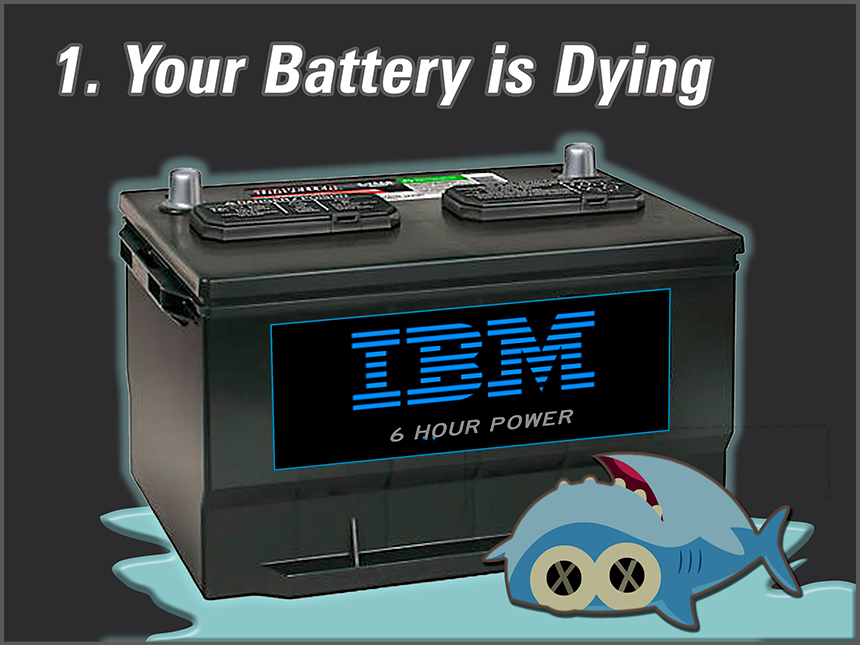
When you’ve tried everything else and your PC is still slow, you may just have to face the fact that your PC battery is dying.  Some people don’t understand that a car battery lasts 36 months but a PC battery only lasts 5-6 hours.  And then you have to either replace the battery or — for IBM models — just toss the PC in the landfill, battery and all.  This can get as expensive as upgrading an iPhone once a year.

Needless to say, it would be great if PC owners didn’t have to install a new battery every day or two.  But there is something you can do to extend your PC’s running time between battery changes, and it involves an adapter that some PC makers supply with your PC.  You may not have used the adapter before, so here is what you need to do:

A.  Get a meat fork like the one shown in the figure.  If you are a vegetarian, then use a vegetable fork that is exactly the same size and shape as a meat fork.

B. Get a D-size (flashlight) battery.  With a firm stabbing motion, stab the top the battery with your meat (or vegetable) fork.  If you are using a vegetable fork, you may have to stab it twice.

C. Lastly, find the adapter for your PC and connect it to your machine.  Now, standing a ways back from the battery, push the plug of the adapter into the holes you punched into the top of the battery.  Wiggle the plug a bit to ensure good contact.  If you see smoke, wait for it to dissipate (your web-surfing mask may come in handy here), then give your PC an hour or so to soak up the power from the battery.  Stand by in case there are any sparks or flames.

If (and when) these attempts to fix your slow PC fall short, you have one last thing to try: call your daughter — or son, niece or nephew, whoever is the “official” computer expert in your family.  Believe me, she will be proud of you for trying to solve the problem before you bothered her.  And if your PC is still running after everything you tried here, I’m sure she will be happy to tell you what to do next.

______________

* Note: The CDC has not made a recommendation on the number of keystrokes between hand-washings.
Read 3 comments and add yours | Read other posts in Humour